
Customise Page Blocks
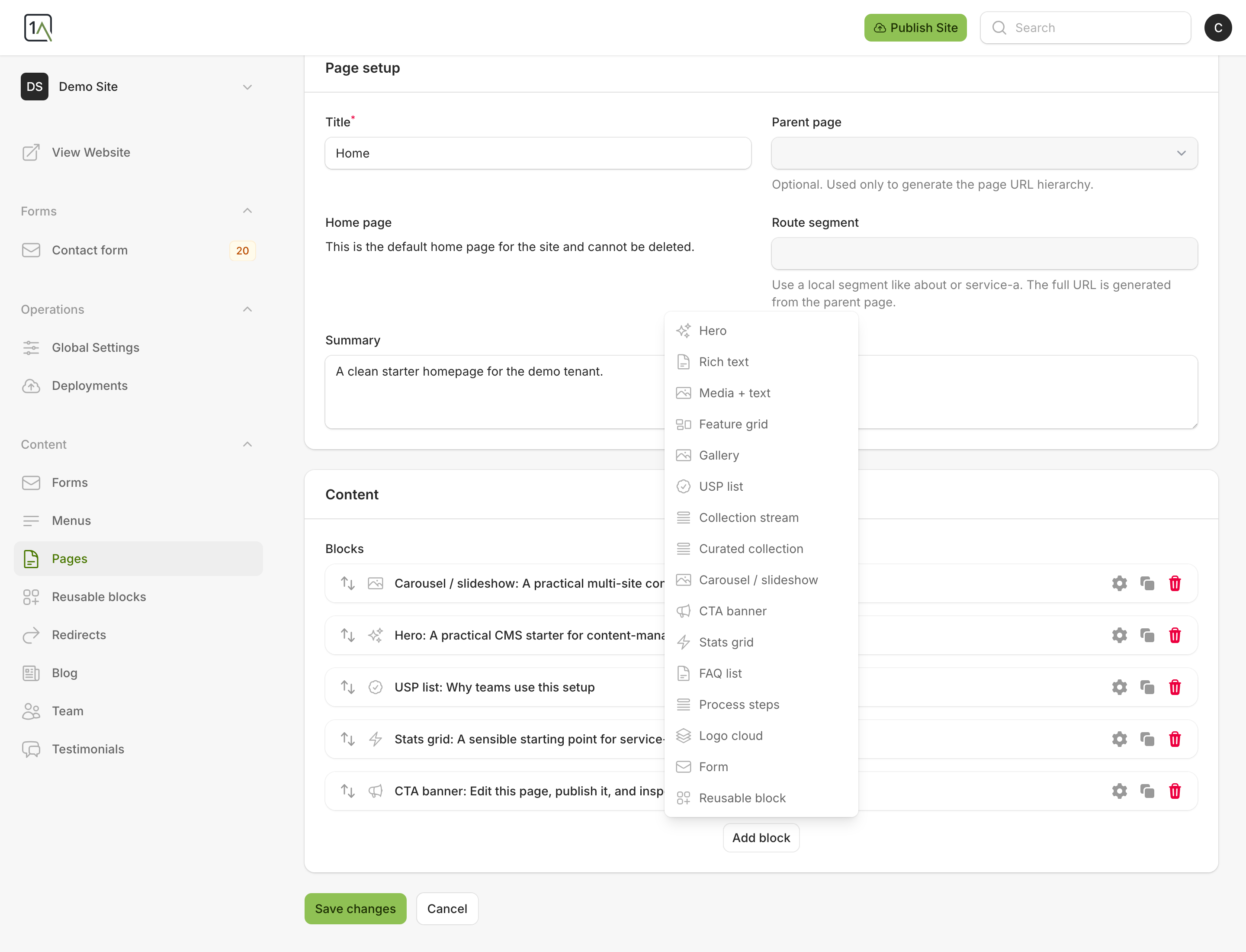
Blocks are the sections that make up each page. Typical examples include heroes, rich text, media sections, feature grids, FAQs, and calls to action.
Add A New Block
- Open the page you want to edit.
- In the
Contenttab, chooseAdd block. - Pick the block type that best matches the section you want to add.
Edit An Existing Block
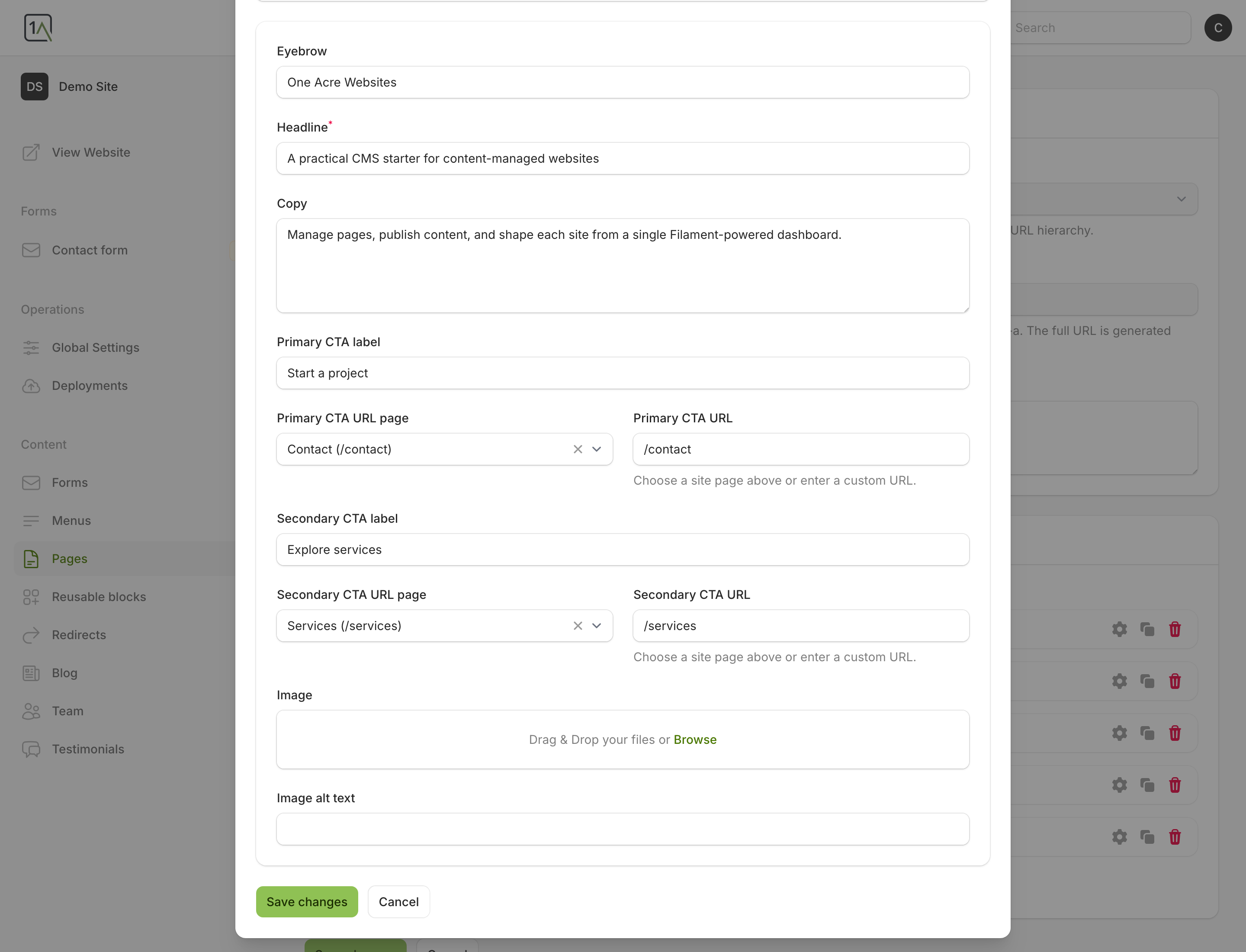
- Find the block in the page’s block list.
- Use the edit action on that block.
- Update the fields in the panel that opens.
- Save the page when you are finished.
Good Practice
- Keep headings short and specific.
- Use repeaters carefully so sections stay easy to scan.
- If a page becomes too long, split content into separate pages rather than forcing everything into one block list.